Nano Banana 2 Prompt Guide for Product Photography
The difference between a mediocre AI product photo and a stunning one almost always comes down to the prompt. With Nano Banana 2, the way you describe your desired image has fundamentally changed -- and for the better. Natural language is in, keyword soup is out, and the results speak for themselves.
This guide is the definitive resource for writing Nano Banana 2 prompts that produce professional, e-commerce-ready product photography. Whether you are shooting cosmetics, electronics, food, or jewelry, the techniques here will transform your output quality.
prodlens.ai supports Nano Banana 2 as a generation model. Everything in this guide applies directly when writing prompts on the platform.
What Makes Nano Banana 2 Different
Before diving into prompt techniques, it helps to understand why NB2 requires a different approach than previous models. Nano Banana 2 is not just a faster version of its predecessor -- it represents a fundamental architectural shift.
From Pattern Matching to Reasoning
The original Nano Banana was a traditional diffusion model. It matched keywords against learned visual patterns. Nano Banana 2 is built on a reasoning-guided architecture (Gemini 3.1 Flash) that uses a Plan, Evaluate, Improve loop. Instead of guessing what your prompt means, it reasons about spatial relationships, validates text rendering character by character, and iterates before producing the final image.
What this means for product photography:
- Accurate text on packaging and labels. If your product has a brand name, NB2 can render it legibly.
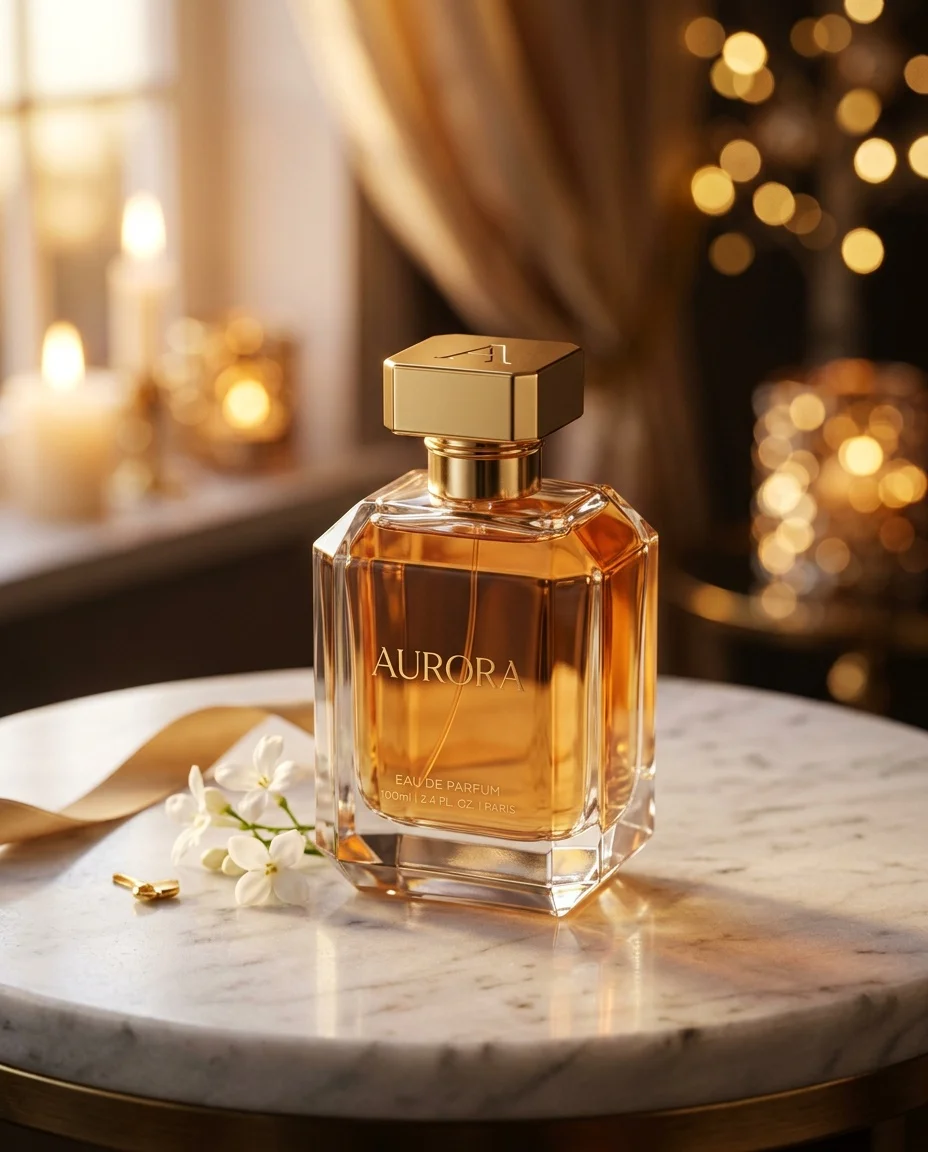
- Precise spatial composition. "Place the perfume bottle to the left of the flowers" actually results in correct placement.
- Better material understanding. NB2 grasps the physics of how light interacts with glass, metal, fabric, and other surfaces.
- Instruction fidelity. Complex, multi-part prompts are followed more faithfully.
Key Capabilities for Product Photography
| Capability | What It Means for You |
|---|---|
| Reasoning-guided generation | Prompts with specific spatial instructions are followed accurately |
| Perfect text rendering | Product names, taglines, and labels render correctly |
| Native multi-resolution (up to 4K) | Generate images ready for web, social, or print without upscaling |
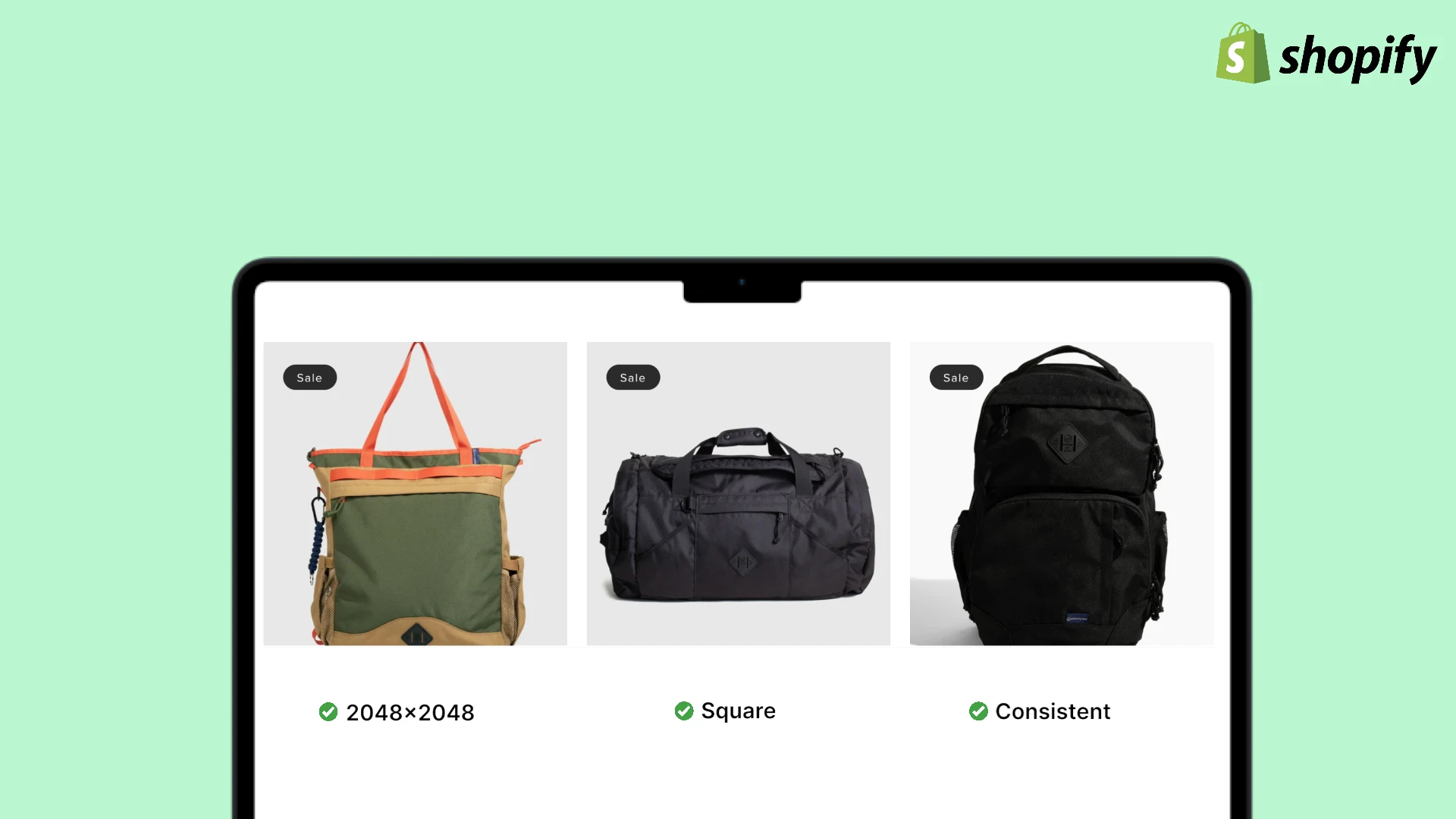
| 10 native aspect ratios | Create platform-specific images (square for Shopify, 9:16 for Stories) without cropping |
| Enhanced material fidelity | Glass, metal, fabric, wood -- all rendered with physically accurate lighting |
| Subject consistency | Your product maintains its exact appearance across multiple generations |
Nano Banana 2 is built on Gemini 3.1 Flash, combining the advanced reasoning of Nano Banana Pro with significantly faster generation times. You get Pro-level quality at Flash speed.
The Golden Rule: Write Like a Creative Director
The single most important shift with Nano Banana 2 is this: stop writing keyword lists and start writing creative briefs.
NB2 is a "thinking" model. It does not just match tags -- it understands intent, physics, and composition. Treat your prompt like instructions to a professional photographer, not a search engine query.
perfume bottle, marble surface, golden light, luxury,
bokeh, 4k, realistic, product photo, studio lighting
This approach treats the model like a search engine. NB2 will produce a generic result because there is no compositional intent.
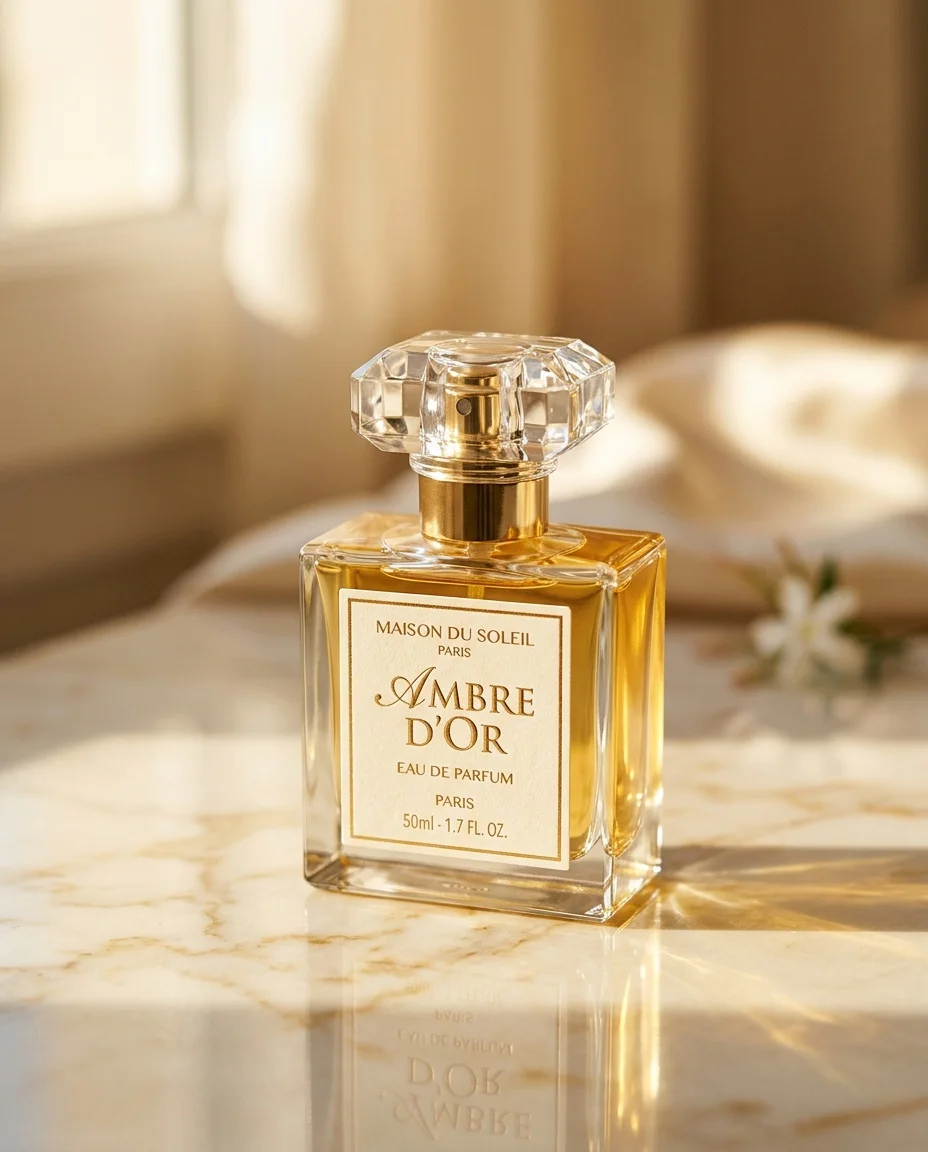
Keyword-style prompts ("product, white background, studio, 4k, realistic") are the number one reason for generic, uninspiring results with NB2. The model is designed for natural language -- use it.
Anatomy of a Great Product Photography Prompt
Every effective NB2 product photography prompt has six core components. You do not need all six in every prompt, but the more specific you are, the better your results.
1. Subject Description
Start with what the product is and its key visual characteristics. Be specific about materials, colors, and distinguishing features.
| Weak | Strong |
|---|---|
| "a bottle of shampoo" | "a tall, cylindrical frosted glass shampoo bottle with a matte rose gold pump cap" |
| "a pair of headphones" | "over-ear headphones with brushed aluminum ear cups and a soft charcoal leather headband" |
| "a candle" | "a hand-poured soy candle in a minimalist matte black ceramic vessel with a single cotton wick" |
When using prodlens.ai, you upload your actual product image as a reference. Your prompt should describe the scene and styling around the product, not the product itself. The model preserves your product's appearance from the reference image.
2. Surface and Setting
Define what the product sits on and the environment around it. This is where you set the scene.
Surfaces that work well:
- Polished marble (cream, nero marquina, carrara)
- Raw concrete or cement
- Weathered wood (oak, walnut, driftwood)
- Linen or textured fabric
- Tempered glass or acrylic
- Natural stone (slate, sandstone, terrazzo)
Settings to consider:
- Clean studio (infinite cove, seamless backdrop)
- Lifestyle context (kitchen counter, bathroom shelf, desk)
- Natural outdoor (garden table, beach sand, forest floor)
- Abstract (floating, gradient background, geometric shapes)
3. Lighting
Lighting is arguably the most important element in product photography, and NB2 handles lighting descriptions exceptionally well because it understands the physics of how light interacts with materials.
Key lighting terms NB2 responds to:
| Term | Effect | Best For |
|---|---|---|
| Soft diffused light | Even, gentle illumination with minimal shadows | Skincare, cosmetics, food |
| Hard directional light | Sharp shadows, dramatic contrast | Watches, jewelry, tech |
| Backlight / rim light | Glowing edges, silhouette emphasis | Transparent products, beverages |
| Golden hour light | Warm, amber tones with long shadows | Lifestyle products, outdoor gear |
| Overhead flat lay lighting | Even top-down illumination | Collections, accessories, stationery |
| Split lighting | Half lit, half shadow | Dramatic editorial, fragrance |
| Caustic patterns | Light refracting through glass/liquid | Perfume, beverages, glassware |
| Window light from the left/right | Natural, directional soft light | Most product categories |
NB2 excels at rendering caustics (light patterns through transparent materials). If your product involves glass or liquid, describing caustic effects will produce remarkably realistic results.
4. Camera and Framing
Specify how the image should be "shot." NB2 understands photography terminology.
Effective framing descriptions:
- Eye-level straight on -- Classic product shot, works for most items
- 45-degree elevated angle -- Shows top and front, great for packaged goods
- Low angle looking up -- Makes products feel powerful, heroic
- Overhead flat lay -- Top-down, ideal for collections and accessories
- Macro close-up -- Detail shots of texture, material, craftsmanship
- Three-quarter view -- Shows dimension, the most versatile angle
Depth of field matters:
- "Shallow depth of field with the product in sharp focus" creates professional bokeh
- "Deep focus with everything sharp" works for flat lays and technical shots
- "Tilt-shift effect" creates a miniature look
5. Color Palette and Mood
Guide the overall feeling of the image. NB2's reasoning engine translates mood descriptions into coherent visual decisions.
Color guidance examples:
- "Muted earth tones -- warm sand, terracotta, dried sage"
- "High contrast monochrome with a single accent of electric blue"
- "Soft pastels -- lavender, blush pink, powder blue"
- "Rich jewel tones -- emerald, sapphire, deep burgundy"
Mood descriptors that work:
- "Clean and clinical" -- white space, precise, medical/tech feel
- "Warm and inviting" -- golden tones, soft textures, approachable
- "Bold and editorial" -- high contrast, dramatic, fashion-forward
- "Organic and natural" -- raw textures, muted colors, imperfect surfaces
- "Luxurious and aspirational" -- rich materials, dramatic lighting, premium feel
6. Context and Purpose
Telling NB2 the intended use helps it make better compositional decisions. The model reasons about context.
- "For a luxury e-commerce product listing"
- "For an Instagram carousel post"
- "For a magazine advertisement"
- "For a minimalist brand website hero image"
Adding context like "for a high-end cosmetics brand" tells NB2 to infer professional lighting, shallow depth of field, and polished surfaces -- without you having to specify each one.
Prompt Techniques by Category
Different product categories benefit from different prompting strategies. Here are tested approaches for the most common categories.
Cosmetics and Skincare
Cosmetics demand clean, aspirational imagery with an emphasis on texture, color accuracy, and a premium feel.
What works:
- Describe product textures explicitly (matte, glossy, dewy, satin finish)
- Use soft, diffused lighting to avoid harsh reflections on packaging
- Mention complementary props (fresh flowers, water droplets, raw ingredients)
- Specify skin-like tones in backgrounds (cream, blush, nude)
Example prompt:
A premium skincare serum in a frosted glass dropper bottle sits
on a smooth white marble surface. A few drops of golden serum
are pooled beside the bottle, catching soft window light from
the right. Behind the bottle, a sprig of fresh rosemary and
two thin slices of lemon rest naturally on the marble. The
background is a clean, warm off-white. Soft diffused lighting
with gentle shadows. Shot at eye level with shallow depth of
field. For a luxury skincare brand's product page.
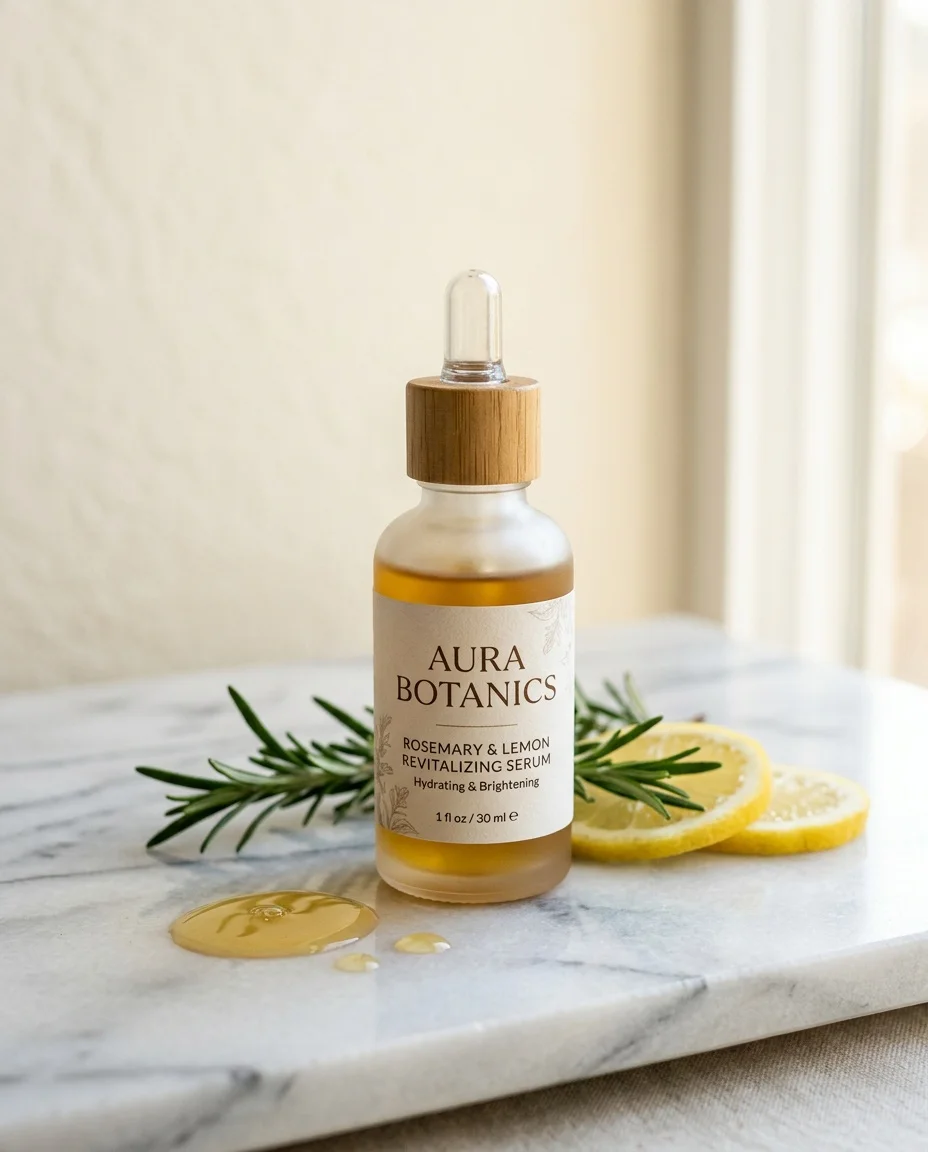
For skincare products, mentioning raw ingredients (like "fresh aloe leaf" or "scattered lavender buds") as props creates an immediate visual connection between the product and its formulation.
Food and Beverages
Food photography is all about making things look appetizing. NB2's material understanding handles the tricky physics of liquids, condensation, and reflective packaging well.
What works:
- Describe temperature cues (condensation, steam, frost)
- Use warm, directional lighting (mimics natural kitchen/restaurant light)
- Include complementary ingredients as props
- Specify overhead or 45-degree angles for plated food
Example prompt:
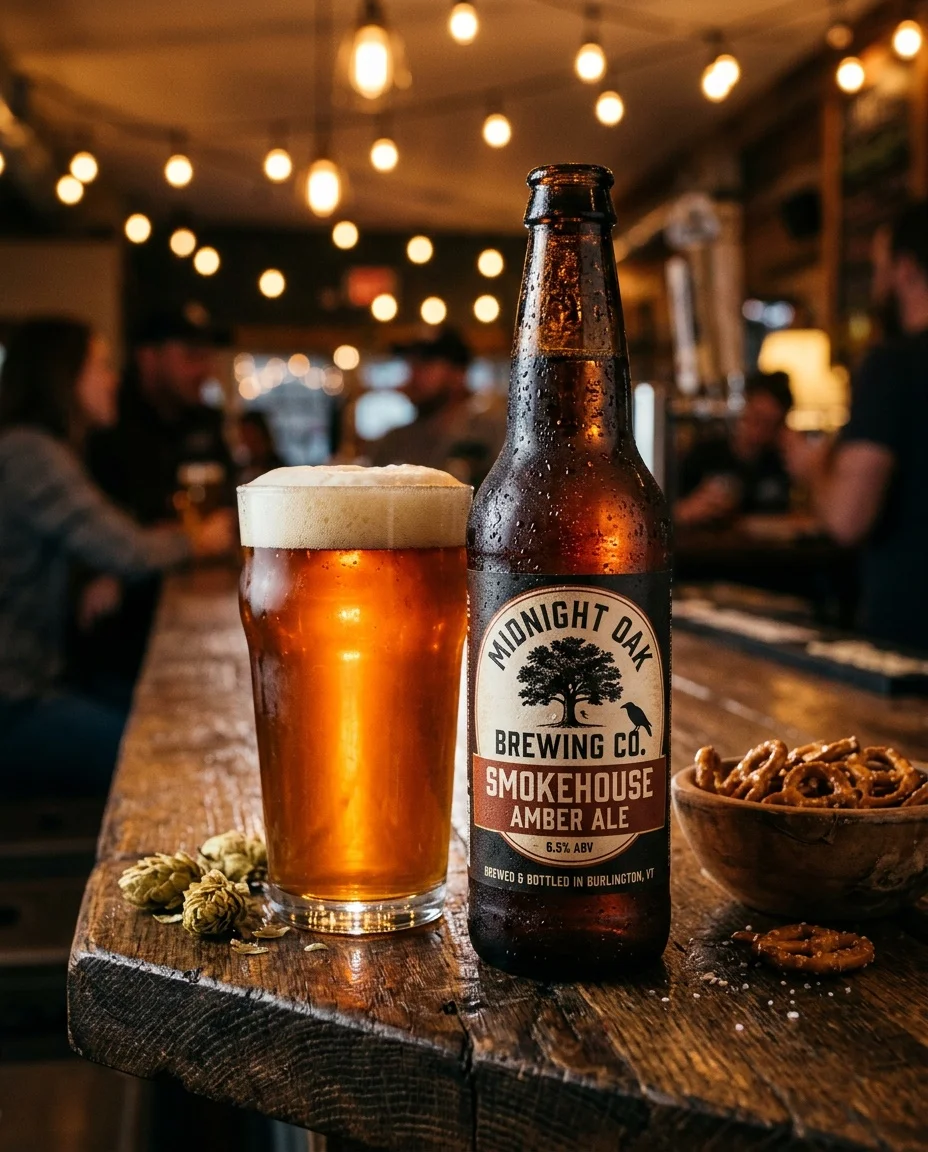
A craft beer bottle with condensation droplets on the glass
stands on a rustic reclaimed wood bar surface. A filled pint
glass sits beside it, the amber ale catching warm backlight
that illuminates the liquid from behind. A few scattered hops
and a small wooden bowl of salted pretzels sit nearby. Moody,
warm bar atmosphere with soft background bokeh of warm string
lights. Shot at a slight low angle to make the bottle feel
prominent. For a craft brewery's product catalog.
Electronics and Tech
Tech products need precision. Clean lines, controlled reflections, and a modern aesthetic.
What works:
- Specify reflective surface handling ("controlled reflections on the screen")
- Use darker, more dramatic lighting setups
- Keep backgrounds minimal -- tech products speak through design
- Mention specific materials (anodized aluminum, matte polycarbonate, Gorilla Glass)
Example prompt:
A pair of wireless earbuds in a matte black charging case sit
on a dark slate surface. The case is open, revealing the
earbuds with subtle LED indicator lights glowing soft blue. A
single hard light source from the upper right creates defined
shadows and highlights the brushed metal hinge detail. The
background is a deep charcoal gradient. Macro-level detail
showing the texture of the matte finish. Clean, minimal,
premium tech aesthetic. Shot at a 45-degree angle.
Jewelry and Accessories
Jewelry requires precise light handling -- reflections, sparkle, and material accuracy are everything.
What works:
- Describe how light interacts with specific materials (faceted gemstones, polished gold, brushed silver)
- Use hard, directional light for sparkle and defined reflections
- Specify dark or neutral backgrounds to make pieces pop
- Include scale references subtly (fabric folds, skin texture)
Example prompt:
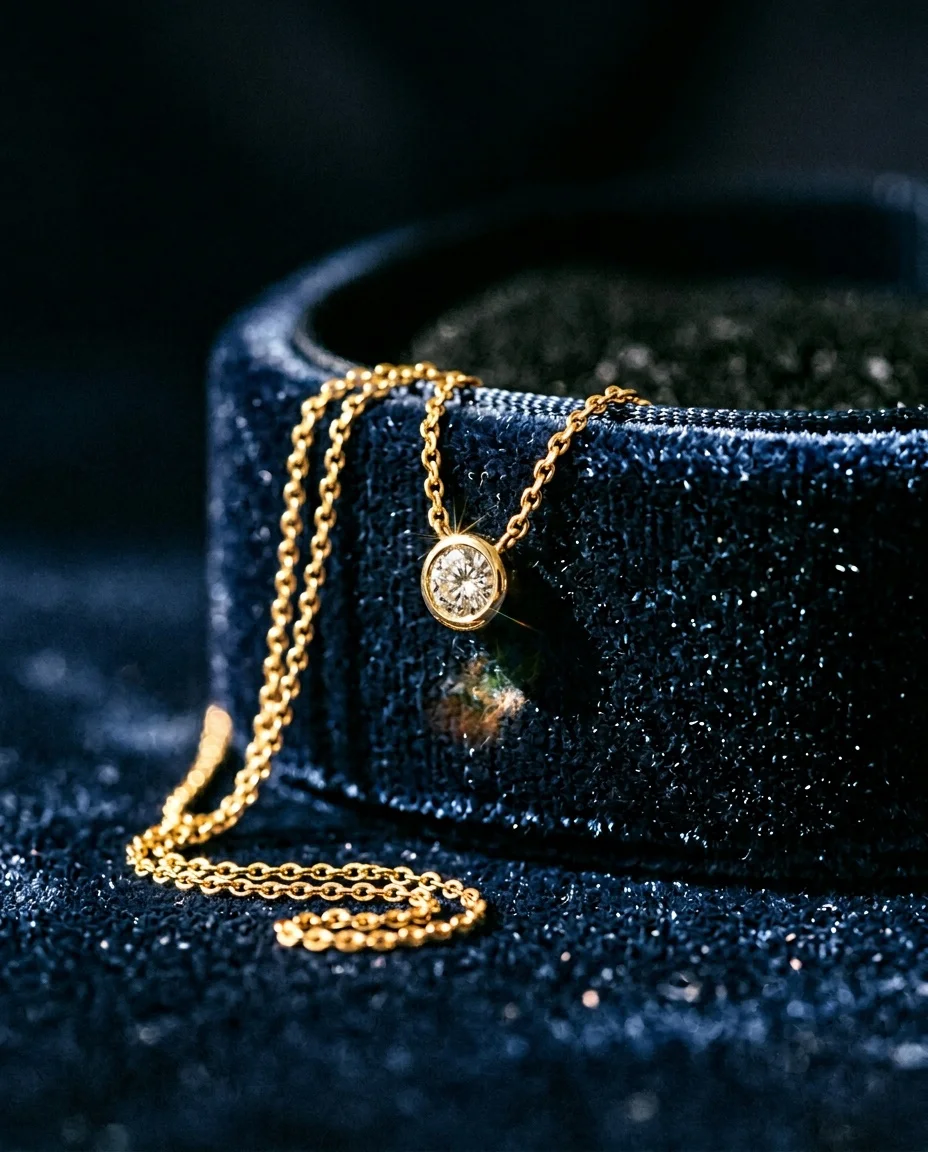
A delicate gold pendant necklace with a small round diamond
sits draped over the edge of a dark navy velvet jewelry box.
Hard directional light from the upper left creates bright
specular highlights on the polished gold chain and a sharp
sparkle on the diamond facets. The background is deep, dark,
and out of focus. A subtle reflection of the pendant is
visible on the velvet surface. Shot as a tight close-up with
very shallow depth of field. For a fine jewelry brand's
holiday campaign.
Home and Lifestyle Products
Lifestyle products need context. They look best when shown in use or in their natural environment.
What works:
- Set a specific scene (living room, kitchen counter, bathroom shelf)
- Include complementary lifestyle elements (books, plants, textiles)
- Use warm, natural window lighting
- Create an aspirational but believable environment
Example prompt:
A minimalist ceramic pour-over coffee dripper sits on a light
oak kitchen countertop next to a handmade stoneware mug. Soft
morning light streams through a window on the left, casting
gentle shadows across the counter. A small potted succulent
and a folded linen napkin are placed nearby. The background
shows a softly blurred modern kitchen with white cabinets.
Warm, inviting atmosphere with a Scandinavian design aesthetic.
Shot at eye level. For a lifestyle brand's Instagram feed.
Common Mistakes and How to Fix Them
After reviewing thousands of product image generations, these are the most common prompting mistakes we see.
Mistake 1: Keyword Lists Instead of Sentences
| Instead of | Write |
|---|---|
| "watch, luxury, dark background, studio lighting, 4k" | "A luxury dive watch with a brushed steel case and black ceramic bezel, photographed on dark slate with controlled studio lighting that highlights the polished case edges." |
Mistake 2: Being Too Vague About Lighting
"Good lighting" means nothing to any model. Be specific about direction, quality, and color temperature.
| Vague | Specific |
|---|---|
| "good lighting" | "Soft diffused light from a large window on the left side" |
| "studio lighting" | "Two-point lighting with a key light at 45 degrees and a subtle fill from the opposite side" |
| "dramatic lighting" | "A single hard spotlight from directly above creating sharp circular shadows" |
Mistake 3: Overloading the Prompt
NB2 handles complexity well, but there is a practical limit. If your prompt reads like a novel, the model has to prioritize, and it might not prioritize the way you expect.
Keep prompts under 150 words for best results. Focus on the most important visual elements. If you need very specific details on many aspects, consider generating a base image first and then refining with follow-up edits.
Mistake 4: Ignoring Material Descriptions
NB2 understands material physics. Saying "glass bottle" is fine, but "frosted glass bottle with a slight green tint" gives the model enough information to render realistic light interaction.
Materials to describe explicitly:
- Glass: clear, frosted, tinted, textured, hand-blown
- Metal: brushed, polished, anodized, matte, hammered, rose gold
- Fabric: linen, silk, velvet, canvas, knitted, woven
- Wood: raw, polished, weathered, charred, light oak, dark walnut
- Plastic: matte, glossy, translucent, soft-touch
- Stone: polished marble, raw concrete, terrazzo, slate
Mistake 5: Forgetting Depth of Field
Flat, everything-in-focus images look amateur. Professional product photography almost always uses selective focus.
Always include one of:
- "Shallow depth of field with the product in sharp focus"
- "Moderate depth of field, product and immediate surroundings sharp"
- "Deep focus for flat lay compositions"
Mistake 6: Not Specifying the Background
"White background" is fine for Amazon listings, but for lifestyle and editorial shots, describe the background with the same care as the foreground.
Background: A smooth gradient from warm ivory at the bottom to
soft grey at the top, with subtle out-of-focus bokeh circles
suggesting a distant light source.
Advanced Techniques
The Iterative Approach
NB2 excels at conversational editing. If your first generation is 80% right, do not start over. Instead, refine:
- Generate your base image with a detailed prompt
- If the lighting is wrong: "Same composition, but change the lighting to soft golden hour from the left"
- If the background needs work: "Keep the product and lighting, but replace the background with a deep forest green gradient"
- If the mood is off: "Make the overall tone warmer and more inviting"
On prodlens.ai, you can iterate by adjusting your prompt and regenerating. Each generation preserves your uploaded product image, so you are only changing the scene around it.
Specifying Text on Products
If your product has visible text (brand names, labels, packaging copy), NB2's text rendering capabilities are a major advantage. Use quotes to specify exact text:
A coffee bag with the label reading 'SUMMIT ROAST' and the
tagline 'Single Origin Colombian' printed below in smaller
serif text. The bag sits on a rustic wooden surface next to
scattered whole coffee beans.
NB2 validates text character by character. For best results, keep text elements to 3-5 per image, put exact text in quotes, and specify positioning ("centered on the label," "along the bottom edge").
Using Aspect Ratios Strategically
NB2 composes natively for each aspect ratio -- it does not just crop a square. Use this to your advantage:
| Platform | Aspect Ratio | Prompt Consideration |
|---|---|---|
| Shopify / Amazon | 1:1 (Square) | Center the product, balanced composition |
| Instagram Stories | 9:16 (Portrait) | Vertical composition, product in lower third |
| Website hero | 16:9 (Landscape) | Product off-center, negative space for text overlay |
| 2:3 (Portrait) | Tall composition, product with context above and below | |
| Facebook / Ads | 4:5 (Portrait) | Slightly tall, product prominent in center |
Prompt Template for Consistent Results
If you are generating images for an entire product catalog, consistency matters. Use this template structure and swap out the specifics:
A [product description with materials] sits on [surface material
and color]. [Lighting description with direction and quality].
[Background description]. [One or two complementary props].
[Camera angle and depth of field]. [Mood/atmosphere in one
sentence]. For [intended use context].
Example using the template:
A hand-thrown ceramic coffee mug with a speckled glaze in warm
terracotta sits on a raw linen cloth draped over a light oak
table. Soft morning window light enters from the left, creating
a gentle shadow to the right. The background is a softly blurred
kitchen scene in neutral tones. A small sprig of dried eucalyptus
rests beside the mug. Shot at a slight overhead angle with
shallow depth of field. Warm, calm, Scandinavian morning
atmosphere. For a lifestyle brand's e-commerce product page.
Quick Reference: Prompt Building Blocks
Use these building blocks to assemble prompts quickly. Mix and match from each column.
Lighting Options
| Style | Prompt Fragment |
|---|---|
| Soft natural | "Soft diffused window light from the left" |
| Dramatic studio | "Single hard key light from upper right with deep shadows" |
| Backlit glow | "Strong backlight creating a rim of light around the product" |
| Golden hour | "Warm golden hour light with long soft shadows" |
| Overhead even | "Even overhead lighting for a flat lay composition" |
| Moody low-key | "Low-key lighting with the product emerging from darkness" |
Surface Options
| Material | Prompt Fragment |
|---|---|
| Marble | "Polished cream Carrara marble surface" |
| Concrete | "Raw grey concrete surface with subtle texture" |
| Wood | "Weathered oak wood surface with visible grain" |
| Fabric | "Draped ivory linen cloth with natural wrinkles" |
| Dark stone | "Smooth black slate surface" |
| Glass | "Clear tempered glass surface with subtle reflections" |
Background Options
| Style | Prompt Fragment |
|---|---|
| Clean gradient | "Smooth gradient from white to soft grey" |
| Solid color | "Clean matte [color] background" |
| Lifestyle blur | "Softly blurred [room type] in the background" |
| Nature | "Lush green foliage, softly out of focus" |
| Abstract | "Abstract painted backdrop in muted earth tones" |
| Dark dramatic | "Deep black background fading to charcoal" |
Putting It All Together: Before and After
Here are three examples showing how refining a prompt transforms the output.
Example 1: Skincare Product
Before (generic prompt):
skincare bottle on white background, studio photo, professional
After (refined prompt):
A minimalist glass serum bottle with a silver dropper cap sits
centered on a smooth white acrylic surface. Clean, even studio
lighting with a soft shadow falling to the lower right. Pure
white background. The bottle's label reading 'GLOW SERUM' is
sharply in focus. One small drop of golden serum sits on the
surface beside the bottle, catching the light. Crisp, clinical,
high-end skincare aesthetic. Shot straight on at product level.
The refined version specifies materials, lighting direction, text rendering, a detail element (the drop), mood, and camera angle. Every one of these details gives NB2 concrete information to reason about.
Example 2: Sneaker
Before:
sneaker product photo, cool, modern, clean background
After:
A white leather sneaker with gum sole sits at a three-quarter
angle on a poured concrete surface. Hard directional light from
the right highlights the stitching detail and leather texture,
creating a crisp shadow to the left. The background is a smooth
warm grey gradient. The sneaker laces are loosely tied. Shot
slightly below eye level to give the shoe a heroic, larger-than-
life feel. Modern streetwear aesthetic. For a sneaker brand's
product launch page.
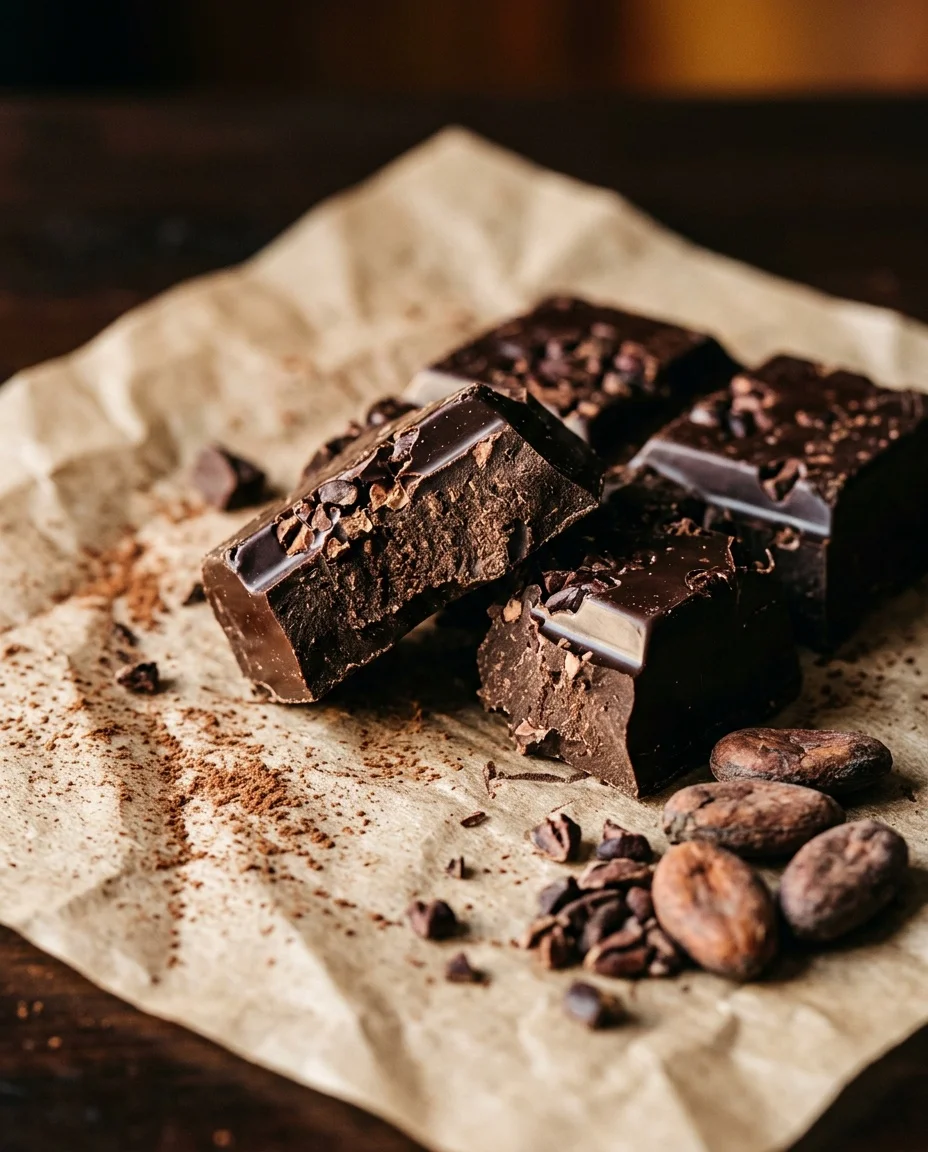
Example 3: Artisan Chocolate
Before:
chocolate bar, luxury, dark, food photography
After:
A hand-crafted dark chocolate bar with visible cocoa nibs sits
broken into irregular pieces on a sheet of unbleached parchment
paper. Rich, warm side lighting from the left reveals the glossy
snap surface of the chocolate and the matte texture where it has
broken. Scattered cocoa powder dusts the parchment. A few whole
cacao beans rest nearby. The background is deep espresso brown,
out of focus. Tight framing, shallow depth of field focusing on
the break point of the chocolate. Indulgent, artisanal,
premium food photography.
Frequently Asked Questions
Related Articles